
Data centers support the digital services that businesses and individuals depend on every day. From cloud storage and online transactions to business communications, these facilities must maintain reliable operations around the clock. However, equipment problems, power disruptions, cooling issues, and operational mistakes can interrupt their performance. Understanding what causes data center failure helps facility managers recognize potential risks, strengthen maintenance practices, and protect critical infrastructure.
Understanding Data Center Failures
A data center failure occurs when one or more critical systems can no longer perform their intended functions. The problem may affect a single component, such as a cooling unit or power supply, or spread across an entire facility. In either case, the disruption can prevent servers, networking equipment, and data storage systems from operating as expected.
These incidents do not always begin with a major equipment breakdown. Sometimes, a minor electrical fault, incorrect configuration, or gradual decline in cooling performance triggers a much larger problem. Modern facilities also depend on interconnected systems, which means a failure in one area can affect several others. Operators should therefore look beyond individual equipment and consider how the entire infrastructure works together.
Common Causes of Data Center Failure
Several contributing factors can interrupt data center operations. Some involve physical equipment, while others stem from human error, software problems, or external events. Understanding these risks makes it easier to determine where maintenance and reliability improvements will have the greatest impact.
Power Outages and Electrical Problems
Power outages remain one of the leading causes of data center disruptions. Servers, networking equipment, security systems, and cooling units all depend on a consistent electrical supply. Even a brief interruption can affect operations, particularly when backup systems fail to respond as expected.
According to Uptime Institute’s 2025 Global Data Center Survey, power accounted for 45% of respondents’ most recent impactful outages. Its 2025 power resiliency research also identified uninterruptible power supply (UPS) failures as a leading cause of major power-related incidents, with 42% of respondents identifying them as a contributing issue. Generator failures accounted for another 28% of reported causes.
We recommend checking UPS batteries, electrical connections, transfer switches, and backup generators regularly. Do not assume that installed backup equipment will automatically protect the facility. Test each unit under realistic operating conditions and confirm that the system can transfer the electrical load without interrupting critical services.
Human Error and Network Misconfigurations
Not every data center outage starts with faulty hardware. Human error can also disrupt critical systems, especially when technicians make configuration changes, perform maintenance, or update software without following established procedures.
A simple mistake involving network settings, access permissions, or equipment connections can affect communications across the facility. Similarly, incorrect software updates and configuration changes may interrupt online services or create security vulnerabilities. Uptime Institute’s 2025 outage research highlights the importance of staff training and operational procedures, reporting that nearly 40% of organizations experienced a major outage caused by human error over the preceding three years.
Teams should document maintenance procedures, review configuration changes, and establish approval processes for critical updates. We also recommend limiting system access to authorized personnel and maintaining clear communication between engineers. These practices reduce avoidable mistakes and make it easier to identify the root cause when an incident occurs.
Cooling System Malfunctions
Data centers generate substantial heat as servers and other equipment process information continuously. Cooling systems remove this heat and maintain operating temperatures within acceptable limits. When cooling equipment fails, temperatures can rise quickly and threaten sensitive components.
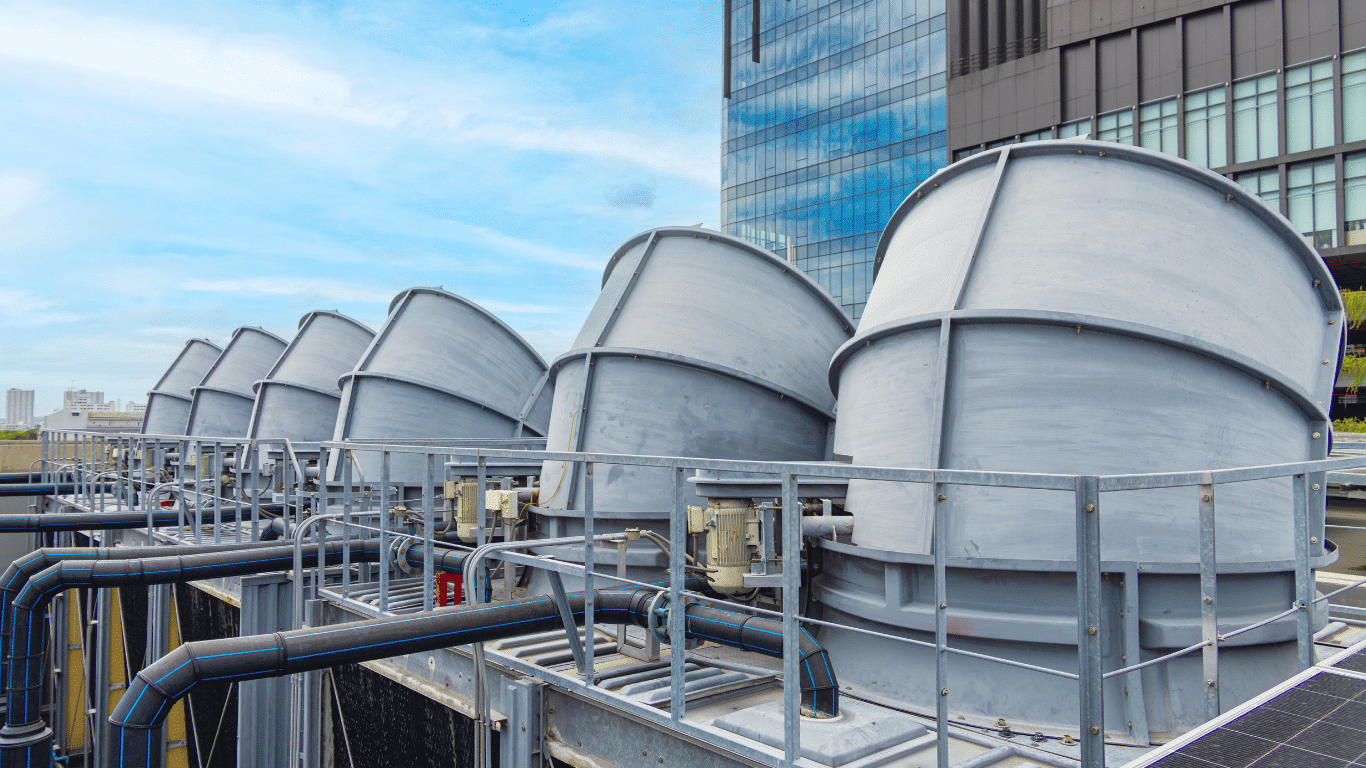
Cooling problems may involve chiller malfunctions, pump failures, blocked filters, poor airflow, or problems with cooling tower performance. Water-related issues also deserve attention. Mineral deposits, corrosion, and biological growth can reduce heat transfer efficiency and restrict water circulation. Eventually, these conditions can increase operating temperatures and force equipment to reduce performance or shut down to prevent damage.
Facility managers should monitor temperatures, water flow, pressure, and water chemistry. Regular inspections and appropriate water treatment help control scale, corrosion, and biological contamination. For a closer look at the role of cooling systems in facility performance, see our guide to data center water treatment.
Hardware, Software, and External Disruptions
Servers, storage devices, network switches, and other hardware components experience wear over time. A degraded component may cause intermittent problems before it stops working completely. Software bugs, failed updates, and incompatible system configurations can also interrupt data processing and communications.
External events introduce additional risks. Natural disasters, fires, severe weather, and utility interruptions can affect facility infrastructure. Furthermore, problems involving cloud providers, internet connections, and third-party services may disrupt operations even when the physical data center remains functional.
We recommend tracking equipment performance and reviewing software updates before deployment. Keep replacement components available for critical hardware, and identify alternative service providers or network connections where appropriate. These measures help facilities respond more effectively when an unexpected incident occurs.
How Data Center Failures Affect Businesses
The consequences of a data center outage extend beyond the facility itself. When servers or network services go offline, businesses may lose access to applications, customer platforms, communications, and essential data. Employees can experience interruptions in their daily workflows, while customers may struggle to access websites, complete transactions, or use online services.
Financial losses can also accumulate quickly. Companies may face interrupted sales, contractual penalties, recovery expenses, and additional labor costs. Uptime Institute’s 2025 outage analysis reports that more than half of respondents in its 2024 survey said their most recent significant, serious, or severe outage cost over $100,000, while approximately one in five reported costs exceeding $1 million.
Data loss presents another serious concern. An unexpected shutdown can interrupt active transactions or damage information that has not yet reached backup storage. In addition, repeated incidents can weaken customer confidence and affect a company’s reputation. For businesses that depend on uninterrupted digital services, even a relatively short outage can create lasting operational problems.
Warning Signs and Early Detection
Most equipment problems become easier to manage when operators recognize early warning signs. Instead of waiting for a complete shutdown, teams should monitor changes in equipment performance and investigate unusual operating conditions.
Watch for these potential indicators:
- Rising equipment temperatures: Increasing temperatures may indicate insufficient cooling capacity, restricted airflow, or a malfunctioning cooling unit.
- Unusual electrical readings: Voltage fluctuations, battery alarms, and irregular power consumption can signal problems with electrical infrastructure.
- Changes in water circulation: Reduced flow, unusual pressure readings, and poor water quality may indicate fouling, scaling, or pump-related problems.
- Unexpected system alerts: Repeated alarms, network interruptions, and software errors may point to developing equipment or configuration issues.
- Unusual equipment noise: New vibrations, rattling, or grinding sounds may indicate mechanical wear or component damage.
Proactive monitoring gives engineers more time to investigate and correct problems before they become major incidents. We recommend maintaining equipment logs, reviewing alarm histories, and comparing current operating conditions against established performance standards. These records also help teams determine the root cause of recurring failures.
How to Prevent Data Center Failures
Preventing every possible incident is difficult, but facilities can reduce their exposure through consistent maintenance, reliable backup systems, and well-planned recovery procedures. The goal is to identify weaknesses before they affect critical operations.
Strengthen Power and Infrastructure Redundancy
Critical facilities should avoid relying on a single power source or equipment component. Redundant electrical paths, backup generators, UPS units, and properly designed distribution systems provide additional protection when individual components fail.
However, redundancy only works when the backup equipment remains ready for operation. Schedule regular load tests, inspect electrical connections, and verify automatic transfer functions. Teams should also review the capacity of backup equipment to confirm that it can support the required electrical load during an emergency.
Establish Reliable Backup and Recovery Plans
A dependable backup strategy protects important data and helps businesses resume operations after an incident. Maintain multiple copies of critical information across different storage media and locations. A commonly recommended approach is the 3-2-1 backup strategy, which keeps three copies of important data, stores them on two different media types, and maintains one copy off-site.
However, creating backups is only part of the process. Teams must test restoration procedures regularly to confirm that stored information remains accessible and usable. Establish two important recovery targets:
- Recovery Time Objective (RTO): The maximum acceptable time required to restore a service after an outage.
- Recovery Point Objective (RPO): The maximum acceptable amount of data loss, measured in time, following an incident.
These targets help organizations determine how frequently to back up information and how quickly they need to restore critical services. Regular disaster recovery exercises also allow engineers to identify weaknesses in recovery procedures before an actual emergency occurs.
Implement Preventive Maintenance and Monitoring
Preventive maintenance helps identify equipment deterioration before it leads to unexpected downtime. Engineers should inspect electrical systems, cooling equipment, pumps, filters, servers, and other critical components according to established maintenance schedules.
Monitoring also plays an important role. Track equipment temperatures, operating pressures, electrical loads, water quality, and system alarms. When readings move outside acceptable limits, investigate the changes rather than waiting for equipment to fail.
We also recommend maintaining accurate maintenance records and reviewing recurring problems. A consistent maintenance process helps teams identify patterns, prioritize repairs, and make informed decisions about equipment replacement. For additional guidance, explore our article on predictive maintenance technologies.
Maintaining Reliable Cooling and Water Systems
Cooling performance deserves particular attention because data center equipment generates heat continuously. A cooling system cannot maintain reliable operation if its supporting water circuits suffer from poor water quality, restricted flow, or inadequate treatment.
Over time, untreated water can contribute to scale formation, corrosion, and biological fouling. These conditions reduce heat transfer efficiency and increase the workload on pumps, chillers, and heat exchange equipment. In severe cases, cooling capacity may decline enough to threaten server performance and facility uptime.
Facility teams should establish a suitable water treatment and monitoring program based on system design, operating conditions, and water quality. This may include filtration, chemical treatment, corrosion control, and routine inspections. Our guide to cooling tower water treatment explains how proper water management supports cooling system efficiency and equipment protection.
Building a More Resilient Data Center
A reliable data center requires more than advanced servers and backup power. Its electrical, mechanical, cooling, water treatment, and monitoring systems must work together to support continuous operations. Facility managers should regularly assess these systems, review maintenance procedures, and prepare teams to respond when unexpected events occur.
ProChem Inc. supports industrial and commercial facilities through water treatment systems, chemical programs, and operations and maintenance services. If your facility needs a more reliable approach to cooling water management, connect with our team to discuss treatment and maintenance strategies that support equipment performance and long-term system reliability.
